Communication Settings
Available communication settings depend on the Touch Encoder variant (CAN or USB) and determine how the device communicates with other equipment.
Changing Communication Protocol
Use the following procedure to change the communication protocol on the Touch Encoder:
From the main menu, select Utilities.
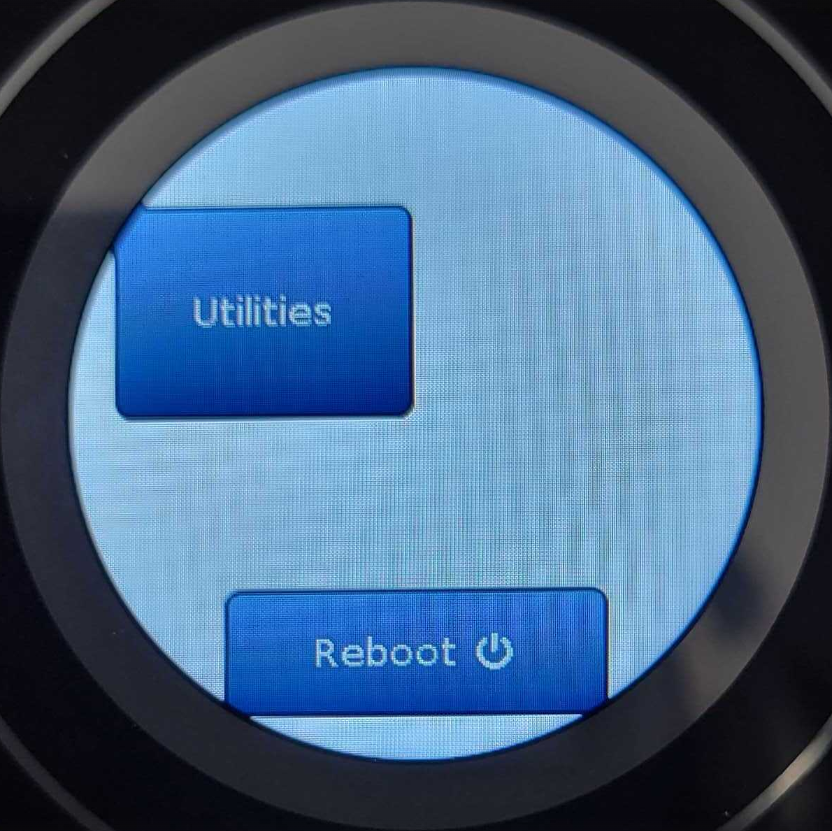
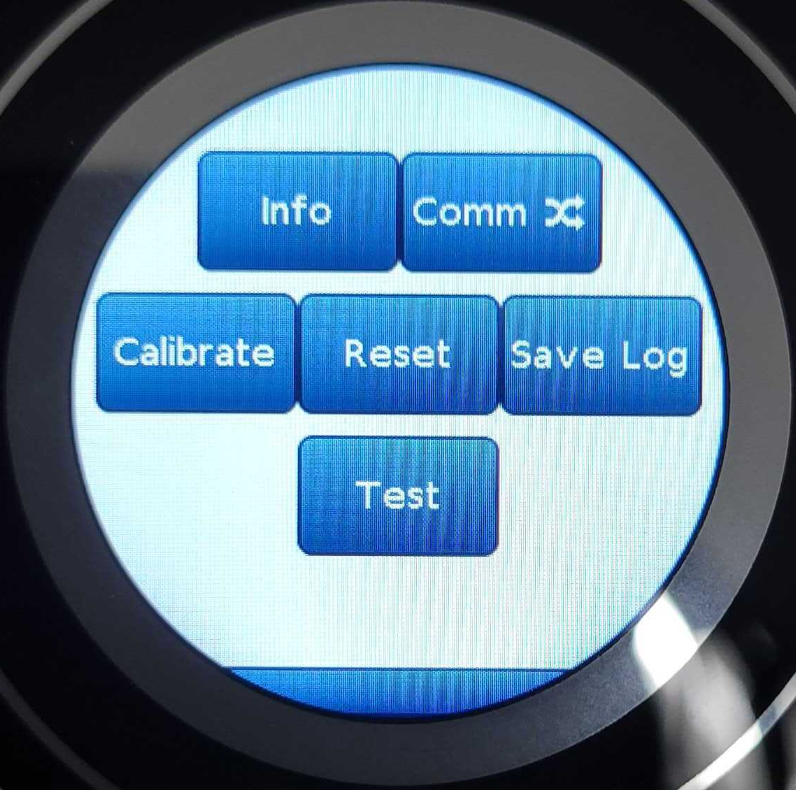
Select Comm to open the communication settings.
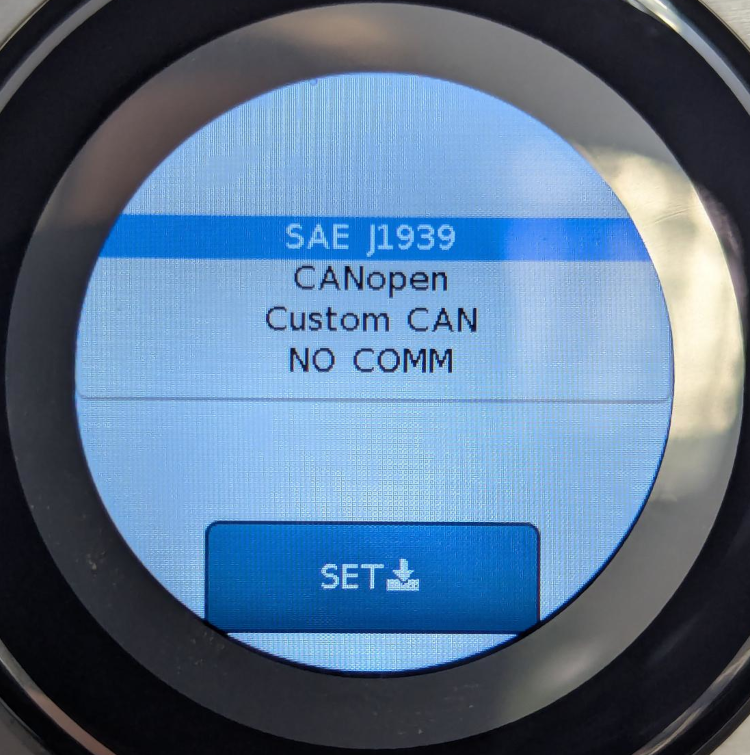
Use the encoder or touchscreen to select the desired communication protocol, then press SET.
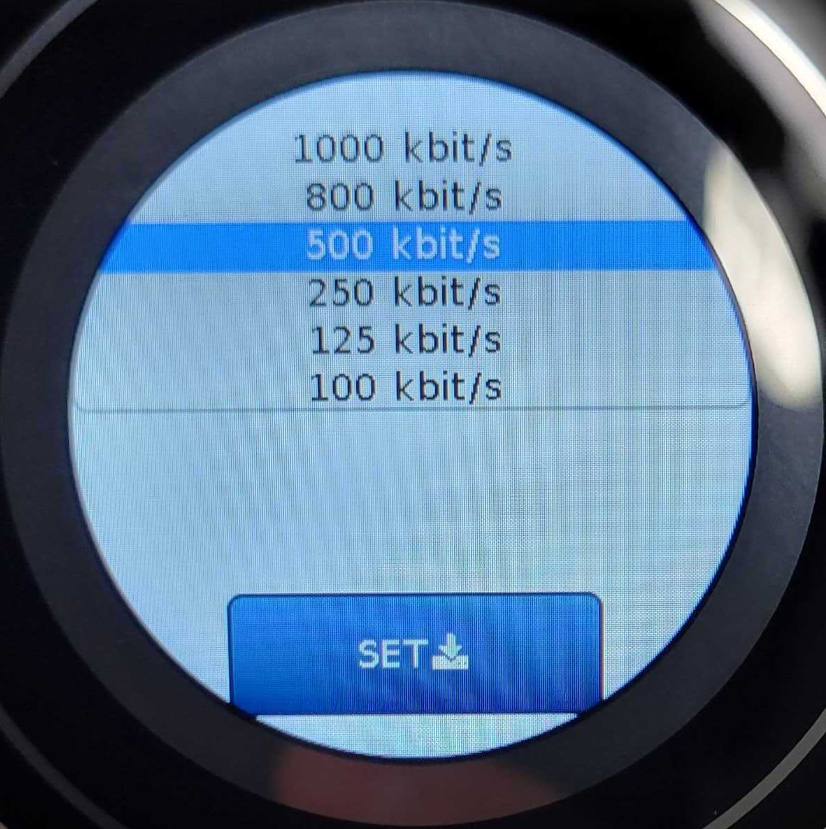
CAN only: Select the desired bit rate, then press SET to apply the setting.
Open Info to verify the updated communication settings.
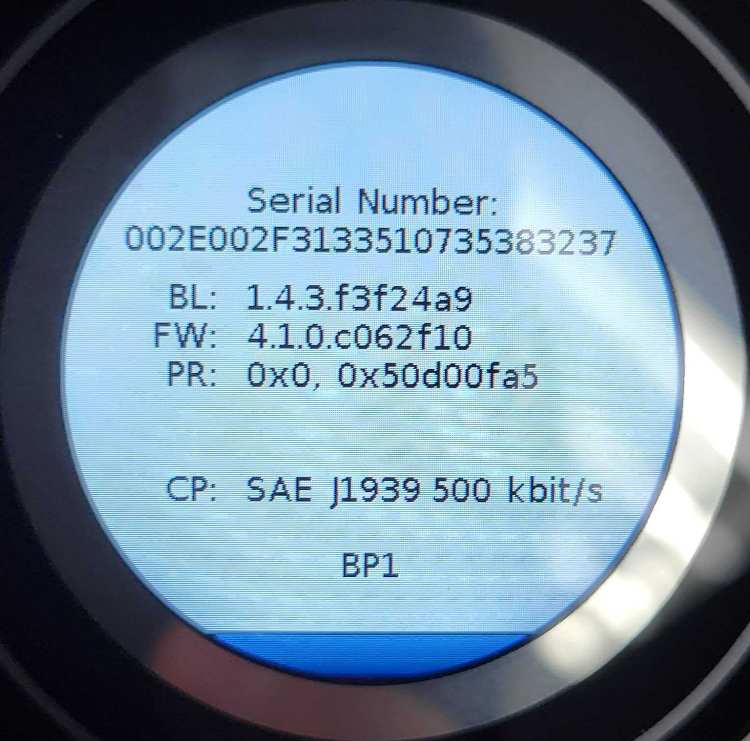
Restart the Touch Encoder for the changes to take effect.
Bit Rate
Touch Encoders with CAN communication support can be configured to use any of the bit rates listed below.
Grayhill CAN Touch Encoders are shipped with a default bit rate of 250 kbits/s. The Grayhill tools GUIDE and TE-Dashboard currently support operation at 250 kbits/s and 500 kbits/s.
Available Bit Rate Settings:
50 kbits/s
100 kbits/s
125 kbits/s
250 kbits/s (supported by GUIDE and TE-Dashboard)
500 kbits/s (supported by GUIDE and TE-Dashboard)
800 kbits/s
1000 kbits/s